
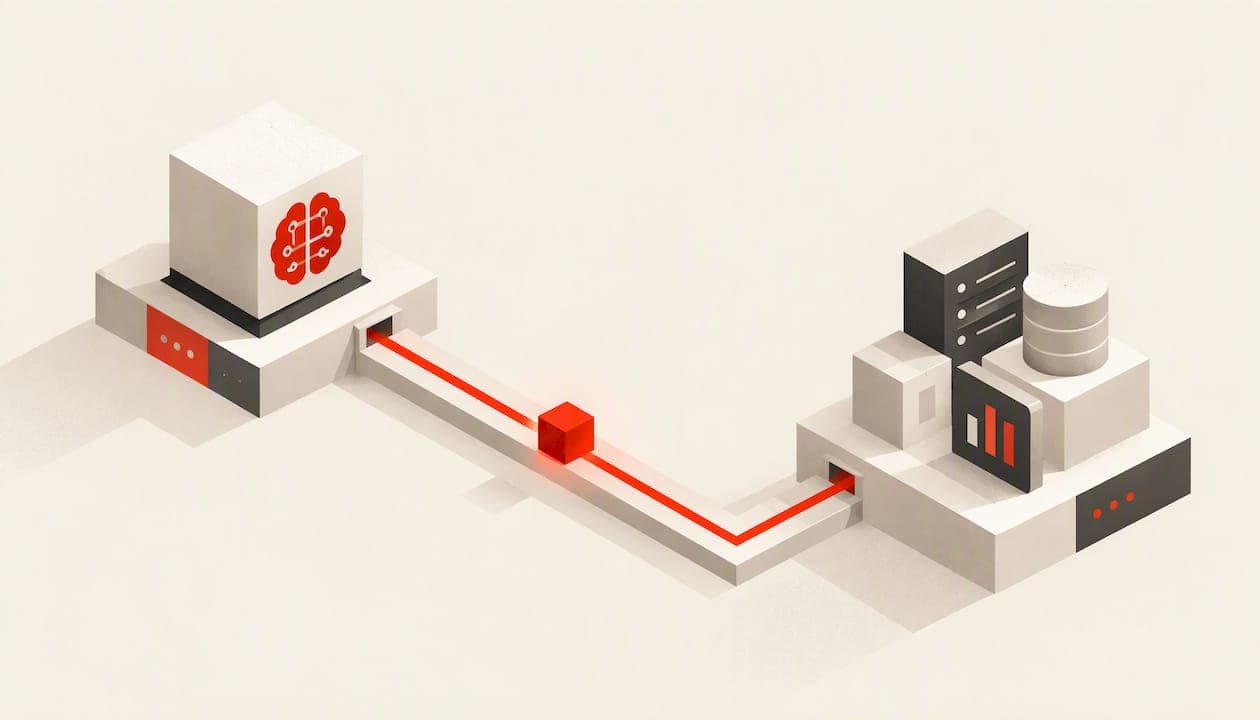
AI integration means connecting AI models, assistants and agents to the software, data and workflows your business already uses, so the AI can read context, take action and deliver results inside familiar tools. Slack describes it this way, and the difference from a standalone chatbot is plain: with a standalone tool, a person copies information in and results out. With an integrated one, the system does that work for you, within the permissions you set.
This guide is for owners and operations leaders at small and growing businesses. It covers the main ways to connect AI, a step-by-step plan, where human review belongs, the security questions to settle first, and what drives cost.
TL;DR
- AI integration connects AI to your CRM, inbox, store, help desk and spreadsheets so it works inside your processes instead of beside them.
- There are four routes: AI features already inside your apps, automation platforms, AI assistants connected to your apps, and custom builds against model APIs. Most businesses end up with a mix.
- Start with one high-impact workflow, map its data, pilot it, and measure it before you widen the scope.
- Decide in advance what the AI may access and do, and where a human steps in. Permissions are where most security problems begin.
- Cost depends on data readiness, integration depth and ongoing operation, so ask for a written ROI target before any build starts.
Table of Contents
- What AI integration actually means
- Four ways to connect AI to your business
- How AI agents integrate with your systems
- A step-by-step plan for integrating AI
- Where integration pays off
- Security, privacy and reliability
- What drives the cost
- Our perspective
- Work with Breaking Trail
- FAQ
- Sources
What AI integration actually means
Most companies are still at the chat stage. A CIO report from April 2026 found that 44% of surveyed organizations say their main AI use is standalone tools used by individual employees. Only 25% say AI is integrated into specific processes or workflows, and 18% have a centralized AI platform across the business.
The gap matters because of what standalone tools can't do. In the same article, an expert says they don't learn from a company's operational data and don't enforce business rules. The point that stuck with us: the maturity of an AI program is not about how sophisticated the model is, but about how deeply it is integrated into the work that matters.

SAP frames it similarly: embedding AI directly into business systems, covering data, applications and workflows, so it functions within existing operations rather than producing generic, one-off outputs.
Here is what that looks like in a small service business:
- Standalone: an office manager pastes a customer email into a chatbot, reads the draft reply, copies it back into the inbox, then updates the CRM by hand.
- Integrated: a new inquiry arrives, the AI reads the customer record, drafts a reply from your own pricing and availability, logs the contact, creates the follow-up task and flags anything unusual for a person.
The second version saves minutes on every inquiry, and it follows the same rules every time.
Four ways to connect AI to your business
There is no single method. Think of these as four routes, from least effort to most control.
1. Native AI features in tools you already pay for
Many CRMs, help desks, accounting packages and e-commerce platforms now ship with AI built in. This is the fastest start and needs almost no technical work. The limit is that the AI only sees what that one tool holds, so it can't act across your whole operation.
2. Workflow automation with AI steps
Here an automation layer sits between your apps. A trigger fires (a form submission, a new order, a missed call), the data is routed to an AI model, the output is transformed, and the result is written back where it's needed. Make describes this pattern as turning isolated prompts into repeatable, observable workflows. This is where most small businesses see the first measurable return, because one workflow can span the website, CRM, email and calendar.

3. AI assistants connected to your apps
An assistant is linked to your systems so it can pull data and take actions when someone asks. It suits knowledge work such as summarizing an account history, preparing a proposal or answering internal questions. It depends more on a person prompting it, so it is less consistent than a triggered workflow.
4. Custom AI integration
Your team, or a build partner, works directly against model APIs with your own data and rules. It takes more effort, but it gives you the most control over logic, data handling and user experience. It also fits cases where off-the-shelf options can't reach your system, such as a legacy booking tool or an industry-specific database.
What happens under the hood
Underneath, most integrations use APIs. Slack gives a clear example: chat software sends a customer's question and account details to the model, and the model retrieves the order record through another API. The AI never needs to be "taught" your business in the abstract. It is handed the right record at the right moment.
At larger scale, AWS's prescriptive guidance describes a four-layer approach: reliable infrastructure, model selection, security and governance, and repeatable application patterns. A small business doesn't need an enterprise platform, but the same four questions apply on a smaller scale. Where does it run? Which model fits the job? Who is allowed to do what? Can we reuse this pattern for the next workflow?
How AI agents integrate with your systems
An AI agent goes a step beyond a single prompt and response. It can decide which action to take next, such as looking up an order, checking a calendar or updating a record. AWS explains that agents are implemented by defining custom actions and API integrations specific to the business, paired with solid error handling and logging.
In practice, building an agent means answering four things:
- Which actions can it take? Read a record, draft an email, book an appointment, issue a quote. List them explicitly.
- Which systems does it touch? Each connection needs its own credentials and the narrowest permissions that work.
- What happens when something fails? If the CRM times out or the model returns nonsense, the agent should retry, escalate or stop, and it should log what occurred.
- Where does a person step in?
Where human review belongs
The goal is not a person approving everything. A Stanford SAIA-hosted article on agent oversight says a human oversight model should define when intervention happens, who decides, what information they need and how the person and agent interact. The aim is to involve people where their judgment matters.
For a small business, that usually means:
- Let the agent act alone on low-risk, reversible tasks: logging contacts, tagging leads, sending appointment reminders.
- Require approval for money, contracts, refunds, medical or legal content, and anything a customer could rely on as a commitment.
- Always offer a path to a person in customer service. Shopify's retail guide cites Gartner research that 87% of customers consider access to a human agent essential when companies use generative AI for service.
The Stanford article also notes that building oversight inside each agent works for a single workflow but gets harder across many agents and teams. If you expect to run more than a couple of agents, design review and escalation as a shared capability from the start.
A step-by-step plan for integrating AI
Guides from automation vendors lay out six or seven steps. They boil down to the same sequence, and it works well for a business with a handful of systems.
- Pick one workflow with high impact. Look for work that is repetitive, rule-based, slow and tied to revenue or cost: lead response, quoting, invoicing follow-ups, order status questions, reporting. Choose one, not five.
- Map the systems and data. Write down where information starts, where it ends up and who touches it. Note the gaps, such as a spreadsheet that exists only on one person's laptop.
- Check data quality and compliance. Duplicate contacts, inconsistent fields and missing records produce poor AI output. Confirm what sensitive data is involved and which rules apply to your industry.
- Choose the approach and tools. Use the four routes above. Pick the lightest one that does the job and connects to the systems you have.
- Define access and actions. Decide what the AI may read, what it may change and what needs approval.
- Pilot and validate. Run it on a limited volume with people reviewing the output. Compare against your current process on time, accuracy and cost.
- Train the team. People need to know what the system does, what it doesn't, and how to correct or override it.
- Monitor, measure and improve. Track the metric you set at the start every month. Adjust prompts, rules and connections as the business changes.
The most common mistake is skipping step 2 and going straight to tools. If you can't draw the current process on one page, the AI will automate the confusion.
Where integration pays off
Results vary by business, but several areas come up repeatedly.
Customer service. Santa Clara University's Leavey School of Business reports that organizations with deep AI integration in customer service see customer satisfaction scores about 17% higher than companies with limited AI adoption. Anthropic's retail guide describes virtual assistants handling routine inquiries such as order tracking, product information and return policies, with complex issues passed to human agents.
Retention. Salesforce says about 43% of consumers stop shopping with a brand after a poor service experience. For an online retailer or a service business with recurring customers, faster and more consistent answers protect revenue you already earned.
Lead response and sales operations. An integrated system can respond to an inquiry in minutes, qualify it against your criteria, route it to the right person and keep the CRM current without manual entry.
Marketing and reporting. Connecting ad platforms, web analytics, CRM and sales data into one dashboard shows which channels produce revenue, not just clicks. AI can then summarize performance, flag anomalies and draft the next test.
Back-office work. Invoice follow-up, scheduling, document handling and internal questions are slow because information sits in different tools. Integration removes the copying between them.
Security, privacy and reliability
Integration gives AI access to real data, so access design is the main safety task. Settle these before you launch.
- Know what each connection can reach. The IAPP warns that AI connectors can be a blind spot for privacy programs. They can retrieve data across systems and produce synthesized outputs containing sensitive information that was never mapped. List every system an assistant is connected to and what it can see.
- Check vendor data practices. TechTarget advises determining what enterprise data third-party AI components access and understanding vendor retention and usage terms, because inaccurate or incomplete permissions create exposure.
- Give the least access that works. The same guidance recommends zero-trust approaches, minimal access to external services, encryption for data in transit, and anonymization where personal information must be processed.
- Log and monitor. Keep a record of what the AI read and did, so you can investigate a mistake and show what happened.
- Plan for failure. Decide what the system does when a connected tool is down or the AI is unsure: retry, queue, or hand to a person.
If your work involves health records, financial data or other regulated information, have your attorney or compliance advisor review the data flows before you connect anything.
What drives the cost
Published price ranges for AI projects span a very wide range, from lightweight API connections to large enterprise systems, so an average tells you little about your project. These factors move the number most:
- Data readiness. Cleaning and organizing data often takes more time than building the integration.
- Integration depth. Connecting one tool through a standard connector is a different job than reading and writing across five systems, including older ones.
- Complexity of logic. Simple routing and drafting cost less than multi-step agents with approvals and exceptions.
- Ongoing operation. Models change, connected apps update their APIs and your processes evolve. Budget for monitoring and improvement, not just the build.
Two questions protect you whatever the quote. What measurable outcome does the project commit to, in writing? And who owns the finished work if you part ways?
Our perspective
We see the same pattern with small businesses. They have tried AI chat tools, saw some promise, and then stalled because the tool sits beside the work instead of inside it. The fix is rarely a smarter model. It is connecting the AI to the CRM, the inbox, the calendar and the reporting that run the business.
That is why we start with how a business actually operates: a technology audit, process analysis and a look at the data. Only then do we design the agent, automation or dashboard. A system that ignores how your team works won't be used, and a system you can't measure can't justify itself.
We build tailored solutions, stay involved after go-live with transparent monthly measurement, and put practical ROI expectations in writing. Our clients own all custom work, with no lock-in and no recurring dependencies. AI will keep changing, and we track and test that ecosystem for small businesses so you don't have to.
Joshawn
Work with Breaking Trail
If you would rather not map systems, compare tools and manage a pilot yourself, that is the work we do. Our AI consulting and implementation services cover workflow automation, custom AI agents, CRM and lead response systems, and operations dashboards. If your main goal is better marketing measurement and growth systems, see our marketing technology plan, which starts from 1000 USD per month. We serve businesses in Virginia, Maryland and Washington, DC, and our AI consulting near Richmond, VA page has details for local teams.

Agencies that want to offer AI to their own clients can look at our white-label AI implementation option. You can also start from the Breaking Trail home page to see how an engagement begins.
FAQ
What is the difference between AI integration and using ChatGPT or another AI tool on its own?
With a standalone tool, you move information in and copy results out by hand. With integration, the AI is connected to your systems through APIs or an automation layer, so it can read records, act and write results back within the permissions you define.
How do I integrate AI agents with my existing software?
List the actions the agent may take, connect each system with the narrowest credentials that work, and add error handling and logging. Then decide which actions need human approval. Start with one workflow, pilot it with review, and expand once the numbers hold up.
How long does it take to integrate AI into a small business?
It depends on the number of systems, the state of your data and how much logic the workflow needs. A single well-defined workflow is a reasonable first project, and a pilot period with human review is part of doing it properly. A scoping conversation should give you a written timeline.
Is AI integration safe for customer data?
It can be, if you control access. Map what each connected AI can reach, review vendor retention terms, limit permissions, encrypt data in transit and keep logs. For regulated data, have your attorney or compliance advisor review the setup first.
Do I need developers to connect AI to my business tools?
Not always. Built-in AI features and automation platforms need little code. Custom agents, older systems and multi-step logic usually need someone who can work with APIs, which is where an implementation partner helps.
Sources
- AI Integration 101: How It Works, Benefits, and How to Do It (Slack)
- Most companies are stuck on AI chat (CIO)
- What Is AI Integration (SAP)
- What is AI integration (Make)
- AWS Prescriptive Guidance: Building an enterprise-ready generative AI platform
- Trust Is Earned: A Practical Approach to Agent Oversight (Stanford SAIA)
- AI in Retail: Use Cases and Implementation Guide (Shopify)
- Artificial Intelligence in Business (Santa Clara University)
- The Enterprise AI Transformation Guide for Retail (Anthropic)
- Ecommerce AI: Top Trends & Strategies (Salesforce)
- Privacy programs can't see AI connectors (IAPP)
- Best practices for integrating third-party AI with local systems (TechTarget)