Document processing automation is software, usually with AI, that reads the documents your business receives, pulls out the data that matters, checks it against your records and sends it to the system where it belongs. People step in only for the exceptions. For a small or growing business, it replaces the daily routine of opening an attachment, retyping numbers into a spreadsheet or CRM and hoping nothing was mistyped.
This guide explains what the technology does, how the pipeline works step by step, which documents are worth automating first, and what to plan for so the result is accurate and safe.
TL;DR
- Document processing automation goes beyond scanning: it classifies documents, extracts specific fields, validates them and routes the data into your CRM, accounting or operations tools.
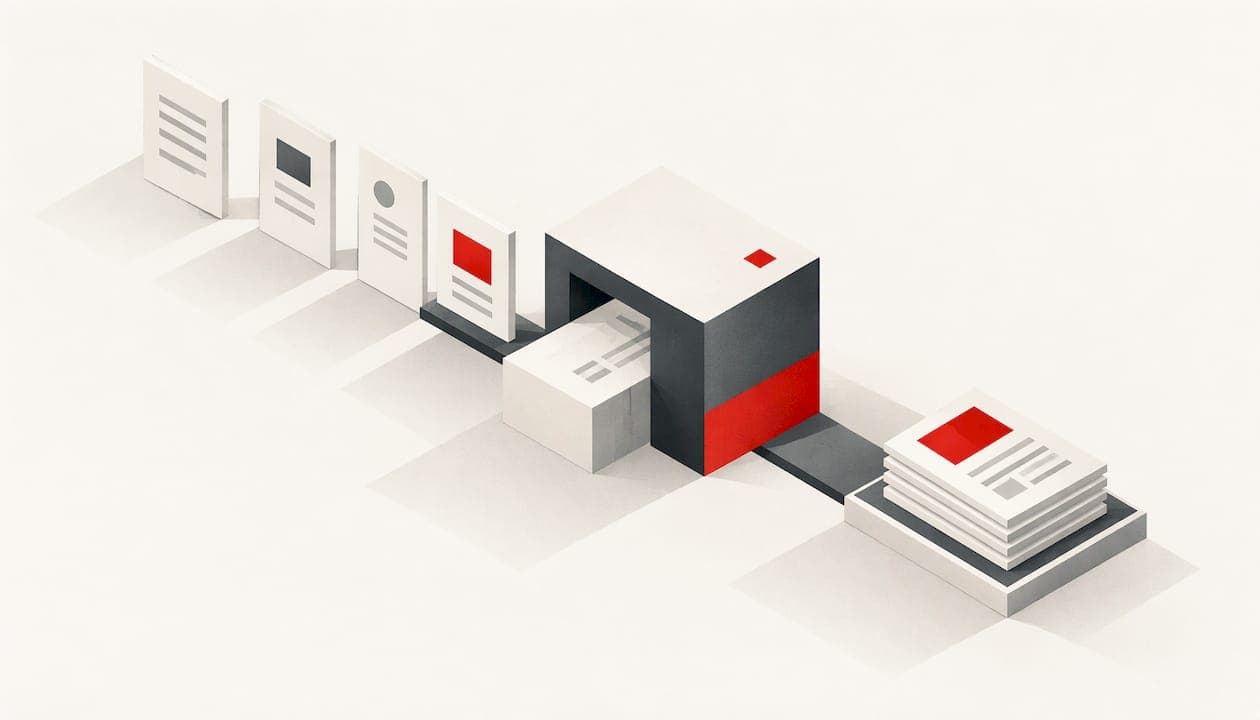
- The usual pipeline is intake, preprocessing, classification, extraction, validation, human review of exceptions, then export to your systems.
- Start with one high-volume, error-prone document type, such as invoices, customer intake forms or onboarding paperwork.
- Plan for poor scans, unusual layouts and AI errors with confidence scores, validation rules and human review on high-stakes fields.
- Judge any solution by integrations, data quality, security and who owns the finished work.
Table of Contents
- What document processing automation actually is
- How automated document processing works, step by step
- What AI adds to OCR
- Which documents and workflows to automate first
- What results to expect
- Limits and risks to plan for
- How to evaluate a solution before you commit
- Our perspective
- Get a document workflow built around your operation
- FAQ
- Sources
What document processing automation actually is
The phrase covers several things that people often mix up, so it helps to separate them.
Scanning and OCR turn a paper page or image into text. Microsoft describes basic automated document processing as mostly digitizing paper into searchable copies, while intelligent document processing (IDP) goes further and separates the valuable information to provide insights.
Document creation (sometimes called document automation) works the other way: it generates new contracts, quotes or proposals from templates and data.
Document processing automation handles the documents that come in. It reads them, understands what kind they are, extracts the fields, checks them and delivers clean data downstream.

The difference between reading and understanding is the heart of it. Databricks explains that traditional OCR only reads characters, while document AI uses machine learning and language models to grasp context, for example recognizing that a dollar figure sitting next to "Total Due" is an invoice amount rather than a random number.
That is why searches such as "AI for document processing" and "automated document processing" usually point at the same goal: stop re-keying data by hand and let software do the reading, with people watching the exceptions.
How automated document processing works, step by step
Vendors name the stages differently, but the pipeline is consistent. ServiceNow describes five phases: collection, preprocessing, classification, extraction and validation. Databricks adds layout parsing, splitting and human review. Put together for a small business, it looks like this.
- Intake. Documents arrive from an email inbox, a customer portal, a shared folder, a web form or a scanner and land in one queue.
- Preprocessing. The system cleans up images: cropping, straightening skewed pages, reducing noise. ServiceNow lists steps like deskewing and binarization at this stage.
- Classification and splitting. The software decides whether a file is an invoice, a purchase order, an application or a contract, and separates a packet that contains several documents into individual ones.
- Extraction. OCR reads the text, layout analysis finds tables and fields, and machine learning models pull out the values you care about: vendor name, invoice number, line items, dates, totals.
- Validation. Rules and AI checks compare the data with itself and with your records. Does the total equal the sum of the lines? Does the vendor exist in your accounting system? Is the date plausible?
- Human review of exceptions. Fields the system is unsure about, or that fail a rule, go to a person. AWS notes that reviewers can validate low-confidence predictions and that their corrections can feed back into the models to improve them.
- Export and routing. Approved data goes to the system where it is needed: accounting software, a CRM, a project tool, a database or a dashboard.
The step that separates a toy from a working system is validation plus routing. Reading a document is only half the job. The value comes when the right data lands in the right place without anyone touching it, and when mistakes are caught before they reach the systems you run the business on.
What AI adds to OCR
OCR is still the reading layer. Databricks describes the full stack as OCR for text, layout analysis for tables and structure, machine learning and natural language processing to classify documents and extract entities, and then validation and integrations to push results into business systems.
In practice, AI helps in three ways:
- Variable layouts. Older template-based tools break when a supplier changes the position of a field. Models trained to understand context cope better with documents that look different each time.
- Unstructured text. Emails, letters and contracts have no fixed fields. Language models can find the dates, parties, obligations or requests inside free text.
- Learning from corrections. When a reviewer fixes a field, that feedback can be used to improve future accuracy.
AWS illustrates a typical build: one reference pipeline uses a text extraction service to read scanned images and a custom entity recognizer to identify the entities that matter to the business. The specific tools vary. The pattern does not.
Which documents and workflows to automate first
The best candidates share three traits: high volume, repeatable structure (even if layouts vary) and a clear cost when something goes wrong. Docusign suggests starting with high-friction or high-risk workflows, such as invoices, contract review, HR onboarding and customer intake.
Here is how that maps to the kinds of businesses we work with.
| Business type | Documents worth automating | Where the data goes |
|---|---|---|
| Service businesses (home services, professional services, clinics, agencies) | Customer intake forms, service requests, signed estimates, vendor invoices, work orders | CRM, scheduling tool, accounting, operations dashboard |
| Online retailers | Supplier invoices, packing slips, purchase orders, return forms, shipping documents | Inventory system, accounting, ecommerce platform |
| Marketing agencies and marketing teams | Client briefs, insertion orders, ad platform invoices, campaign reports, contracts | Project management, billing, reporting dashboards |
| Any growing company | Employee onboarding packets, receipts and expense reports, contracts | HR system, expense tool, shared repository |
A practical way to choose the first one
List the document types your team handles each week and score each on four questions:
- How many arrive per week?
- How many minutes does each one take to handle by hand?
- How often are there errors or rework?
- Does the data feed something important, such as billing, lead follow-up or compliance?
The document type with the highest volume and the most expensive errors is your pilot. Invoices are common winners because the structure is predictable and the downstream system, accounting, is well defined. Customer intake is another strong pick when slow lead handling costs you jobs.
Keep the pilot narrow: one document type, one or two systems to connect, and a written measure of success such as minutes per document, error rate or days to payment. That makes the result easy to judge before you expand.
What results to expect
Vendors publish impressive figures, and they are best treated as examples of what is possible rather than guarantees for your business. A few that are documented:
- AWS reports that Onity Group, a Florida-headquartered company, cut document-extraction costs by 50% and improved accuracy by 20% compared with its previous OCR and AI/ML solution, after routing documents between custom models and generative AI.
- A Brazilian case study from AWS reports processing that was 85% faster than manual interpretation, with 98% accuracy and more than 40% less operational effort.
- Hyland's guide claims cost reductions of up to 20% and 34% faster processing times.
The spread between these numbers tells you something useful: outcomes depend on document quality, volume, how much exception handling remains and how well the system is tuned. That is why we recommend setting your own baseline before you start and measuring against it every month.
Limits and risks to plan for
Good design assumes the software will sometimes be wrong and builds the safety net in advance. Databricks lists the common causes: poor-quality scans, rare or highly variable formats and, with generative models, hallucinations. Its recommended safeguards are validation against the source, confidence scoring and human review, plus access control, audit logging and retention policies.
The right amount of human review depends on the stakes:
- Low stakes, high volume (expense receipts, routine intake): let the system approve high-confidence results automatically and sample a share for quality checks. AWS describes sampling some outputs for review as a way to monitor quality.
- Complex or sensitive documents (contracts, financial reporting, clinical or legal material): AWS says these often need human oversight for accuracy, consistency and compliance, and describes workflows that escalate difficult documents and show reviewers confidence scores.
- Legal review: EY's 2026 analysis warns that AI can fabricate fact patterns and recommends human validation and quality control, with more of it as the use case becomes riskier. If your documents feed legal decisions, involve your attorney in how review is set up.
The practical takeaway: pick a confidence threshold for each field, decide who reviews what falls below it, and keep an audit trail of what was changed and by whom.
How to evaluate a solution before you commit
Whether you buy a platform, hire a team or build something custom, run any option through the same five checks.
Integrations
Extraction alone saves little if someone still has to copy the output. Confirm the data can flow into the tools you already use, such as your CRM, accounting software, ecommerce platform or project system, and that failed transfers raise an alert instead of disappearing.
Data quality
Look at a realistic sample of your own documents, including the worst scans and the oddest suppliers. Accuracy on clean samples says little. Ask how exceptions are surfaced and how corrections are captured.
Security and privacy
Documents often contain customer names, bank details, health or employment information. Decide who can see what, where files are stored, how long they are kept and how access is logged. If you handle regulated data, such as financial customer information or health records, confirm the obligations that apply to you with your compliance advisor or attorney before documents flow through any new system.
Ownership and lock-in
Find out who owns the models, workflows and code that get built for you, and what happens if you stop paying. A system you cannot take with you becomes a recurring dependency.
Measurement
Agree in writing on the metrics: minutes per document, error rate, percentage handled without human touch, cost per document. Review them on a schedule after go-live, not just at launch.
Our perspective
Most small businesses do not have a document problem. They have a disconnected-systems problem that shows up as documents. An invoice lands in an inbox, someone retypes it, a lead form sits unread for a day, and a report gets built from three spreadsheets that do not agree.
That is why we start with how the business actually operates: a technology audit, a look at the process, and an honest read of the data. Then we build the smallest system that removes the most manual work, usually one document type connected to the tools the team already lives in.
We believe the work is only done when it is measured. Every engagement we run is meant to show practical ROI in writing, we stay involved after go-live with transparent monthly measurement, and clients own all custom work with no lock-in and no recurring dependencies. The AI ecosystem changes quickly, so we track and test it continuously, which lets us choose tools for your situation rather than sell the same stack to everyone.
Automation also should not remove judgment. We design review steps so people handle the exceptions and the high-stakes fields, and the software handles the repetition.
Joshawn
Get a document workflow built around your operation
If your team is spending hours each week reading, retyping and routing documents, we can map the process and show you where automation pays back first. Our workflow automation and custom AI agent services cover intake, extraction, validation, CRM and lead-response workflows, and operations dashboards that make the results visible.

Based in the Richmond, Virginia area, we also work with businesses across Virginia, Maryland and Washington, DC. If you want a local conversation, see our AI consulting for small businesses near Richmond, or learn more about how an AI automation agency engagement works from audit to optimization.
FAQ
What is the difference between document processing automation and OCR?
OCR converts images of text into machine-readable text. Document processing automation uses OCR as one layer, then adds classification, field-level extraction, validation and routing so the data ends up in the right system. In short, OCR reads, and document processing automation reads, understands and delivers.
Do I need AI for document processing automation?
Fixed-format forms can sometimes be handled with templates and rules. AI becomes valuable when documents vary in layout, arrive as free text or include handwriting and poor scans. Most businesses end up with a mix: rules for predictable checks and AI for reading and classification.
Which document should a small business automate first?
Choose the type with the highest weekly volume and the costliest mistakes. For many businesses that is vendor invoices, customer intake forms or onboarding paperwork. Start with one, connect it to one or two systems and measure minutes per document before expanding.
Is automated document processing accurate enough to run without people?
It can handle high-confidence, routine fields on its own, but unusual layouts, poor scans and high-stakes data call for human review. A well-built workflow scores confidence per field and sends doubtful items to a person, which also helps improve the system over time.
What should I look for in automated document processing software?
Check how it connects to your existing tools, how it performs on your real documents, how it protects sensitive data and who owns the finished workflows. Ask for agreed metrics, so you can compare results against your manual baseline.
Sources
- Microsoft: What Is Intelligent Document Processing (IDP)?
- Databricks: What is Document AI?
- ServiceNow: What is intelligent document processing?
- AWS: Building an end-to-end intelligent document processing solution
- AWS: How Onity Group built an intelligent document solution
- AWS: BDM case study
- AWS: Digitization of transactional documents with human oversight
- Hyland: What is Intelligent Document Processing
- Docusign: AI Document Processing Explained
- EY: The role of AI and human judgment in modern document review